Pretrained Networks
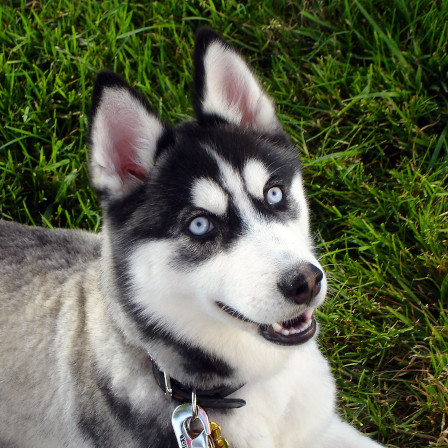
is it a Canadian or Siberian Husky? (image: Wikimedia Commons)
The ImageNet Competition
Throughout the 2010’s, the ImageNet Competition has been the most important benchmark for computer vision.
Rules of the Object Localization task:
Input is a single image, output is a single class
There are 300,000+ labeled training images
Image size is 224 x 224 x 3
There are 1000 object categories
ImageNet Models
Take a look at the ImageNet competition results on paperswithcode.com .
Find VGG-19, Inception V3 and ECA-Net (MobileNetV2)
which model performed best?
which model has the most / least parameters?
what problems would you expect when predicting 1000 categories in photographs?
The VGG-16 Architecture
This is the structure of VGG-16, a well-known pretrained CNN for image classification:

image from everybodywiki (CC BY-SA 3.0)
gray: CNN layers, red: pooling layers, blue: dense layers, green: softmax
VGG-16 is good model to understand the structure of an industry-scale CNN. It consists of:
the first Convolutional Layer has a large image and few filters
the second Convolutional Layer is followed by a Max Pooling Layer
after that, another block of two Convolutional Layers and one MaxPool follows. The image becomes smaller but has more filters
after five such blocks, the output is fed into a fully connected (dense) layer
the last layer is a dense layer with a softmax activation function, producing the probabilities of 1000 categories
The VGG-16 is not the state of the art anymore. It is very big (you need at least 12 GB RAM to run it and much more to train it). Later developments used many algorithmic tricks to squeeze out a few percent of accuracy and to cut down the size of the network by an order of magnitude.
MobileNet
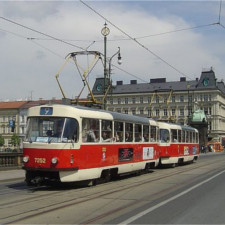
MobileNet is a pretrained network that gives predictions with a similar accuracy as VGG-16. But MobileNet is small enough to run on a phone!
This example runs a prediction on the sample image of a tram.
Step 1: Read an image
First, read the image and use the preprocessing function to reshape the array:
from tensorflow.keras.preprocessing import image
from tensorflow.keras.applications.mobilenet_v2 import MobileNetV2, preprocess_input, decode_predictions

im = image.load_img('tram.jpg', target_size=(224, 224))
You can view the image in Jupyter by typing im.
a = image.img_to_array(im)
a = preprocess_input(a)
Inspect the shape and dtype of the resulting array.
Step 2: Load MobileNetV2
Import and initialize the model.
m = MobileNetV2(weights='imagenet', include_top=True)
m.summary()
What familiar elements do you see in the summary of the model?
Step 3: Prediction
Finally, predict the probabilities of 1000 classes and print the 10 most probable ones:
from pprint import pprint

a = a.reshape(1, 224, 224, 3)
p = m.predict(a)
pprint(decode_predictions(p, 10))
Inspect the numbers in p as well.
Step 4: Larger Images
You can process larger images as well by shrinking them with the Pillow library:
im = image.load_img('...')  # <-- add your file name
im.size
and use Pillow to cut out a square you are interested in:
im2 = im.crop((0, 0, 1000, 1000))  # xstart, ystart, xend, yend
im3 = im2.resize((224, 224))
im3
The preprocessing and prediction on im3 is the same as above.