Rock-Paper-Scissors
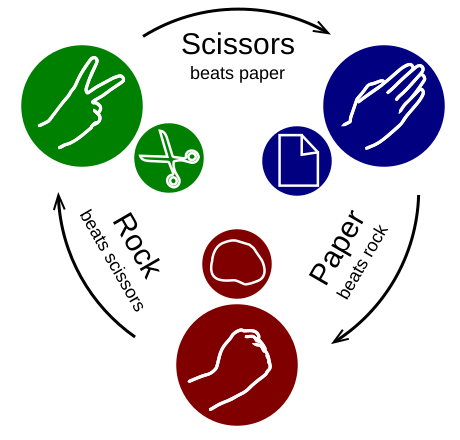
image by Enzoklop, CC BY-SA 3.0
In this chapter you will:
area |
topic |
|---|---|
🚀 |
write a rock-paper-scissors game |
⚙ |
use the conditional statement |
⚙ |
use comparison operators |
💡 |
use the data type |
🔀 |
use a state variable |
🐞 |
recognize indentation errors |
An important structural element in program is making decisions.
In Python, the instruction if
decides which instruction to execute next.
Exercise 1: Decision
With the instruction if, you can make a decision inside your program.
Test the following program with different inputs:
player = input("Please enter R, P or S (for [R]ock, [P]aper and [S]cissors) ")
computer = "P"

if player == computer:
    print("it's a draw")
Exercise 2: Alternative decisions
Insert the words elif, else and if into the gaps in the code
so that it runs:
import random

player = input("Please enter R, P or S (for [R]ock, [P]aper and [S]cissors) ")
computer = random.choice('RPS')

___ player == 'R' and computer == 'P':
    print("Computer wins")
___ player == 'R' and computer == 'S':
    print("Player wins")
___:
    print("it's a draw")
Exercise 3: Paper
Extend the program, so that it also works if the player chooses paper.
Exercise 4: Debugging
Fix one bug in each if-statement:
elif player.upper() not in 'RPS':
    print('Invalid input. Please enter R,P or S.')

elif player == computer
    print('You chose the same as I did')

if player = 'S':
    print('You chose "scissors".')

else:
print('You chose something else than "scissors"')
Exercise 5: Expressions
Which comparisons in the following if statements result in True:
a = 3
b = 4
c = 7

if a + b < c:
    print(True)

if a + b == 5 + 2:
    print(True)

if a * b == 12 and b * c == 28:
    print(True)

if a + b * c >= 28:
    print(True)

if a + b == "7":
    print(True)
Exercise 6: State variables
The following program saves the result of a comparison
in a variable of the data type bool.
Complete the code:
player_wins = (
               (player == "R" and computer == "S") or
               (player == "P" and ___) or
               (___)
              )

if player_wins:
    print('You won!')
Exercise 7: Nested if statements
Complete the program, so that it covers all possible situations:
winner = 'draw'

if player == "S":
    if computer == "P":
        winner = "player"
    elif computer == "T":
        winner = "computer"

elif player == "P":
    ___

print("The winner is:", winner)
Hint
A nested if is an if inside another if block.
Exercise 8: Rock-Paper-Scissors
Complete the Rock-Paper-Scissors game.
Optional goals:
take draws into account as a possibility
inputs should be valid in upper and lower case
use a single
if..elif..elseblockextend the game by lizard and Spock
use
boolvariables, so that only one or twoifstatements withouteliforelse) remain
Reflection Questions
in which order do the parts of an
ifstatement have to be?which parts of an
ifstatement are optional?what is indentation?
which comparison operators do you know so far?