Fractal Canopy
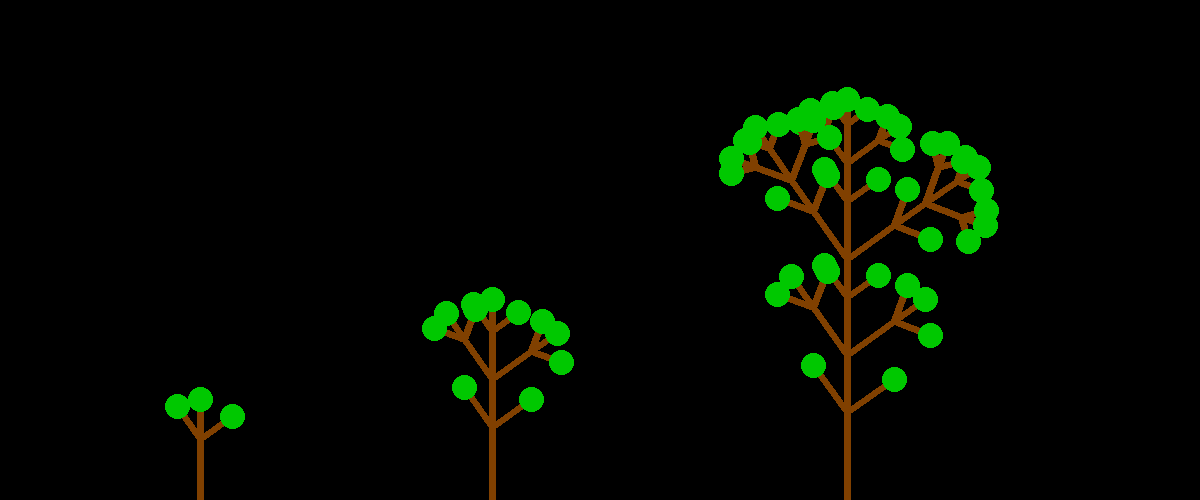
With a recursive combination of lines, you can draw tree-like structures. The example code uses the PIL library for easier drawing of lines.
This code is a good starting point to develop your own branching patterns and leaves.
from PIL import Image, ImageDraw
from math import radians, sin, cos

SIZE = (800, 500)
START_POS = (400, 499)
LENGTH = 200
ANGLE_LEFT = 55
ANGLE_RIGHT = 35
WIDTH = 7
RADIUS = 12
LEAF_WIDTH = 16

def draw_tree(im, pos, bearing, depth, length, leaf):
    x, y = pos
    if depth > 1:
        draw_tree(im, pos, bearing, depth-1, length * 0.6, leaf=False)
        pos2 = (
            x + cos(radians(bearing)) * length * 0.6,
            y - sin(radians(bearing)) * length * 0.6
        )
        draw_tree(im, pos2, bearing, depth-1, length * 0.4, leaf=leaf)
        draw_tree(im, pos2, bearing - ANGLE_LEFT, depth-1, length * 0.4, leaf=True)
        draw_tree(im, pos2, bearing + ANGLE_RIGHT, depth-1, length * 0.4, leaf=True)
    else:
        pos2 = (
            x + cos(radians(bearing)) * length,
            y - sin(radians(bearing)) * length
        )
        d = ImageDraw.ImageDraw(im)
        d.line([pos, pos2], width=WIDTH, fill=(128, 64, 0))
        if leaf:
            d.circle(xy=pos2, radius=RADIUS, fill=(0, 200, 0), width=LEAF_WIDTH)

im = Image.new(size=SIZE, mode="RGB")
draw_tree(im, START_POS, bearing=90, depth=4, length=LENGTH, leaf=True)
im.save("tree.png")
See also