Data Wrangling
Cargo Bay
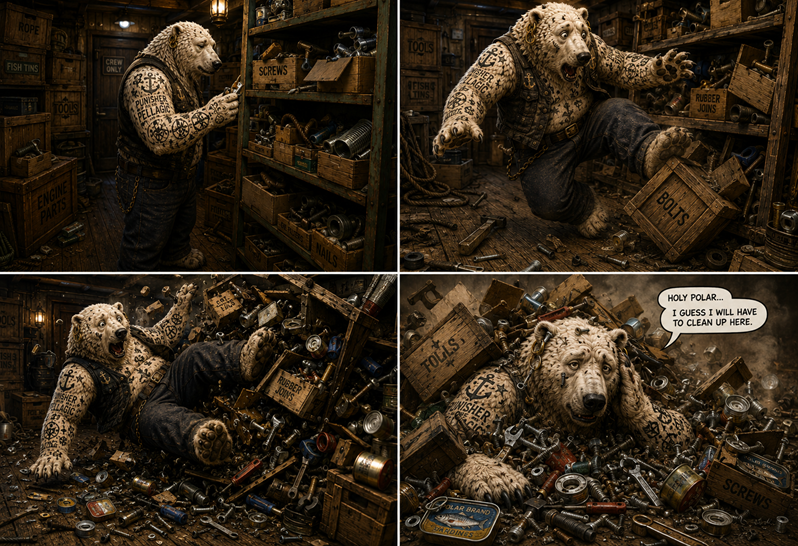
Ilmar stepped into the ships storeroom. "I need some size 15 screws, they should be here". A shelf with open and half-open cargo boxes stood in the middle of the room as if it had been left there in a hurry. More cargo boxes were not very neatly piled up along the walls. When Ilmar stepped towards the shelf, he suddenly tripped over another box. He toppled over, rolled through the room and crashed into the shelf. The room collapsed in an avalanche of boxes and their content: tools, screws, rubber joins, fish tins and lots of other stuff.
When the dust settled, Ilmar raised his head from the debris. "Holy Polar," he muttered, "I guess I will have to clean up here."
Looks like it’s time to sort out the chaos in cargo.csv.
Sort rows
Sort a DataFrame by:
df.sort("category")
to sort by more than one column, try:
df = df.sort(["category", "type"], descending=[False, True])
Rename a column
There are all kinds of reasons for renaming columns.
The alias() expression adds a new column with the same data.
df.with_columns(pl.col("crate_no").alias('crate_number'))
Drop a column
The drop() method removes one or more columns:
df.drop(pl.col("column_2"))

df.drop(pl.col("column_2", "column_3"))
Change the data type
Converting values to integers is a very frequent operation:
df.with_columns(pl.col("crate_str").cast(pl.Int64))
Convert values to strings, replacing the old column:
df = df.with_columns(pl.col("crate_no").cast(pl.Utf8).alias("crate_str"))
Instead of replacing, you might want to create a new column:
df = df.with_columns(pl.col("crate_no").cast(pl.Utf8).alias("crate_str"))
You can easily combine multiple columns using string concatenation:
df = df.with_columns((
   pl.col("crate_no").cast(pl.Utf8) + pl.col("crate_shelf")
   ).alias("crate_id"))
Create new rows
If you have Python sequence types (lists, tuples, sets), you can assign them to new columns directly. The only prerequisite is that the length matches that of your DataFrame:
deck = [d for _,d in zip(range(df.shape[0]), cycle("123"))]  # repeat 1,2,3,1,..
df = df.with_columns(pl.lit(deck).alias("deck"))
Missing values
Missing values are a common phenomenon. A quick way to diagnose missing values is:
from matplotlib import pyplot as plt

nulls = df.null_count()

plt.bar(nulls.columns, nulls.row(0))
plt.xticks(rotation=45, ha="right")
plt.tight_layout()
Often, you might simply want to kick out all rows in which a None or NaN occurs:
df_dropped = df.drop_nulls()
Alternatively, you might want to fill in a best guess value:
df_fixed = df.with_columns(pl.col("units").fill_null(pl.col("units").median()))
There are many, many strategies to fix missing values (imputation methods).
Swap rows and columns
Some operations (especially plotting) are easier to implement if you turn a DataFrame by 90°:
df.transpose()
Iterate
Usually, it is possible to write one-liners or concise expressions that
get the job done. If this is not possible (or you are still learning
this stuff and can’t figure out a better way yet), you may want to fall
back to a for loop over all the rows.
for i, row in enumerate(df.iter_rows(named=True)):
    print(i, row['type'])
Data Wrangling Commands
command |
description |
|---|---|
|
sort rows by units in descending order |
|
sort rows by type and uuid |
|
convert the units column to int |
|
convert the crate_no column to float |
|
create a new column with constant values |
|
create a new calculated colunmn |
|
returns number of missing values in each column |
|
drop rows where category contains null values |
|
fill missing values in 'category' column |
|
fill missing values in 'units' column |
|
transpose DataFrame while keeping column names |
Challenge
Take care of the following clean-ups in the cargo docs cargo.csv:
for the screws, replace the words in the units column by numbers
convert the units column to the type int
fill the missing values in the category column for the ice cream
fill the missing values in the units column
sort the crates by type and by identifier in ascending order