Live coding
Live coding means programming in front of your participants instead of showing them a finished program.
According to Greg Wilson, live coding is the essence for any programming course. Seeing live coding, as opposed to seeing the finished code, transfers many key skills like debugging and seeing that teachers make lots of mistakes, too.
Assuming that you know the solution well enough to write it off the cuff, live coding does not require a huge amount of preparation. You can save time by preparing the “boring” parts and live coding the interesting ones.
Live coding is a very versatile method to teach coding. You can organize a live coding session in several ways:
Warm-up Coding
A great warm-up technique is to type something easy for 5-10 minutes that everyone can follow along. The purpose is to reinforce concepts or commands learned previously. In a Python course for beginners, a warm-up coding session might include:
creating a list and applying all possible methods to it
chopping a string to pieces
reading a file and calculating the sum of one column
writing a few regular expressions
You might comment on what you do or not. Occasionally, I shut up and instead write comments into the code, so that the participants can focus on their own code.
Take short pauses, so that participants can catch up.
Coding lecture
It is possible (and not even very difficult) to run an entire lecture as a live coding session. You introduce a new concept by writing a new program from scratch.
At the beginning, state the problem clearly and start working through it slowly, step by step. Write one line after each other, explain what you do up front, or stop and ask questions. Most importantly, give participants time to catch up.
If it goes well, this form of teaching will converge into a discourse, and at the same time you obtain a working program.
This approach has the advantage of being very tolerant if your participants have little experience with the subject, or the subject turns out to be difficult. You take them by the hand and guide them to a successful completion of the tutorial. On the downside it needs to be said that the trainees don’t need to think very much during the tutorial. But especially if you don’t know what situation you are going to face, this may be a very good choice.
Code along
It is already useful to present new concepts by implementing them. But if you slow down, you can guide the students towards the solution and wait for their input.
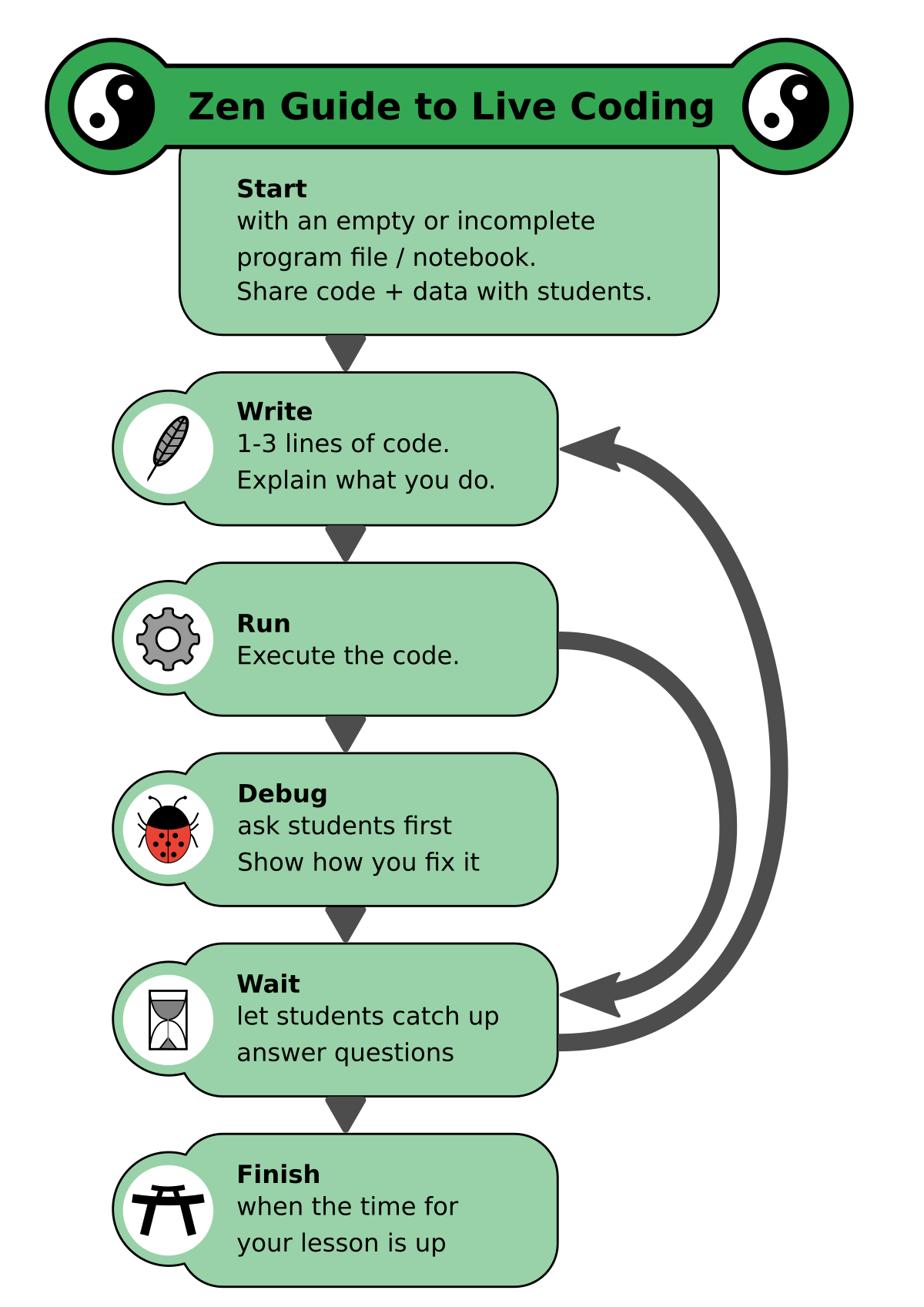
It requires quite a bit of patience to slow down enough. In an online setting, students may easily stop coding themselves. It may happen that they lose track because the coding happens too quickly. It could also be that they struggle managing their own editor and a screen-shared one (people with two screens have a big advantage here). To make this less likely, stop after 20 minutes or take a break and share an intermediate result.
You could organize a live coding session like this:
time |
activity |
|---|---|
30’ |
theory: explain the new concept with live code |
20’ |
exercise: students work on a slightly different task |
20’ |
wrap-up: code the solution together |
Practical Hints
How difficult is live coding?
Not very difficult. But the presence of other people is distracting. Expect that you will not be writing code at the best of your abilities. As a rule of thumb, if you can code something late in the evening, it will also work in front of an audience.
Therefore, solve a problem one level simpler than you would usually solve as a developer.
Should I answer questions?
Participants are very likely to come up with questions during a live coding session. Do your best to answer them immediately!
May I look up things in the documentation?
It may happen that you don’t know how to write some commands during a live coding session, unless you memorized everything.
This is not a problem, rather a benefit. Participants will see how and where you look up things.
Empowering them that it is OK not to know everything is an important lesson.
Can I cut-and-paste code sniplets?
In the same way, you may use prepared code samples, especially if it is a complicated piece of code. There is a tradeoff though: do not paste too much at the same time, so that you do not go too fast.