Example Lesson: Create Tables in SQL
An example lesson featuring cute penguins
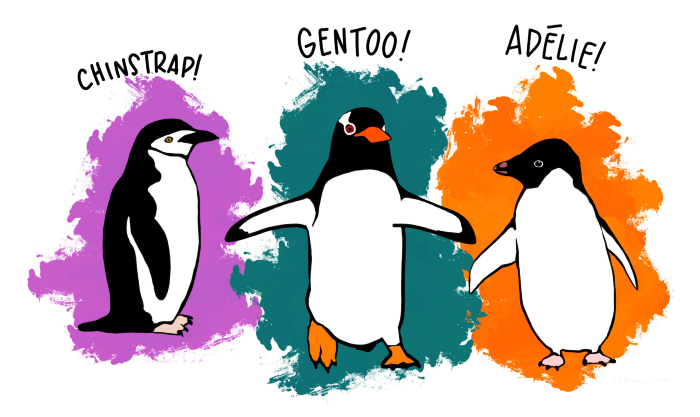
Palmerpenguins Artwork by @allison_horst
In this chapter, I want to describe an entire lesson, bringing together all elements of from the previous chapters.
As a topic, I chose the SQL CREATE TABLE statement, because I believe all of you will understand the content.
In the following, I want to explain the parts of the lesson and why it is designed the way it is.
You find a classroom-ready description of the lesson in penguin_lesson.zip.
See also
How to teach DS – talk explaining this lesson (low resolution)
Goal
Participants load a CSV file with penguin data into a SQL database.
Explanation:
Loading the CSV file is a single, specific goal that a teacher or the
students can check easily. Although this goal is self-sufficient, it can
be used in the context of a bigger project. For instance, you could
follow up with a lesson on SQL SELECT that uses the penguin table.
Prerequisites
Participants need to have PostgreSQL installed and have access via
psql.
Explanation:
This prerequisite is important because the installation is a potential
time sink. I decided for psql because it works on all operating
systems. The psql tool could be replaced by a different tool
(e.g. pgadmin4 or an ORM), reusing some of the material.
Concept Map

Explanation:
The concept map contains six key concepts and describes their semantic
relationships. The number of six stay one below the recommended maximum
of seven. I did not want to add any extra concepts, because the purpose
of the lesson is to introduce the SQL CREATE TABLE as such, not to
cover all its details.
I used Greg Wilsons very logical concept map style, because I wanted to try it. I created a sketch on paper first. Then I drew the concept map using Inkscape. Note that the concept map does not cover any syntax or enumeration of e.g. data types.
I treat this concept map as the backbone of the lesson. One could develop several lessons on the same topic from it, use it to recap or improvise on top of it. Knowing SQL well, I feel ready to go into the classroom with the concept map alone if I have to. But I prefer to have some more material so that the students can do something.
The next sections prepare the lesson better and make it a lot easier to teach.
Lesson Plan
time (min) |
phase |
description |
|---|---|---|
0 |
warm-up |
say hello and announce title of the lesson |
2 |
warm-up |
ask students to name a few penguins they know |
10 |
warm-up |
show the CSV file, introduce the problem/goal |
15 |
new content |
show and execute the CREATE TABLE code example |
35 |
new content |
show the concept map |
40 |
BREAK |
|
50 |
apply content |
students load the bigger penguin file in pairs |
70 |
wrap-up |
discuss common problems you found during the exercise |
85 |
wrap-up |
show the concept map again |
Explanation:
This is a complete plan for a 90’ lesson, leaving some buffer. If you are new to teaching, you might want to have it near while you are teaching.
I wrote the lesson plan after developing the code example and exercise you find below.
the penguin naming activity in the warm-up section is for priming the class on the penguin topic. I want to have a short, fun conversation about penguins so that the class feels comfortable with the topic. Essentially I am building up the punchline “and in this CSV you have another 300 penguins!”
the goal can be introduced with any medium (whiteboard, Slack or other), but it should be visible all the time.
the order of the two parts in new content is interchangeable. I would start by showing the code and asking the class what they think it does to establish a dialogue. I might give them a few minutes to discuss that among each other first. Then we would take the code apart together. But in a larger or stressed audience starting from the concept map might be a safer strategy.
in the apply section I would expect the need to support the students because they might not know how to start
psql, where to find the data, forget semicolons etc.the repeating of the concept map could be replaced by some more active recap method easily.
Material
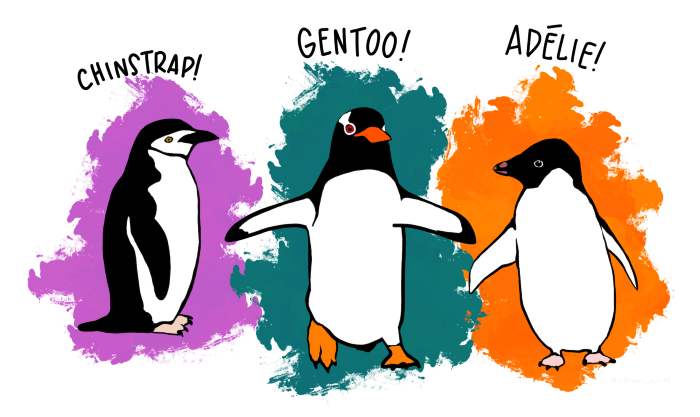
image with 3 penguin species (
penguin_heads.png)example SQL CREATE TABLE statement (
penguins.sql)concept map (
concept_map.png)CSV file with small penguin dataset (50 rows, 5 columns) (
penguins.csv)Excel file with small penguin dataset (
penguins.xlsx)CSV file with big penguin dataset (
penguins_big.csv)PDF with exercises (
exercises.pdf)Faded examples (
faded_examples.sql)

Explanation:
A material list is very useful for checking whether your material is complete.
Code Example
CREATE TABLE IF NOT EXISTS penguins (

    id SERIAL PRIMARY KEY,
    species TEXT,
    gender VARCHAR(10),
    bill_length_mm NUMERIC NOT NULL,
    body_mass_g INT CHECK (body_mass_g >= 0 AND body_mass_g < 10000)

);
Explanation:
The point of this code example is to cover the basic structure of a
CREATE TABLE statement. With the expection of COPY it contains at
least one example of each item from the concept map.
The difficulty can be adjusted by adding or removing data type and/or
constraints. If you have more time, you might want to iterate over the
CREATE TABLE statement over multiple lessons, adding something new
each time.
Exercises: Load Penguins into SQL
1. Connect to Postgres
Connect to your Postgres database via the command line:
psql
If you specified a username (-U) or database name (-d) before, do it again.
2. Create a table
Copy the SQL command for creating a table for the small penguin file
into psql:
CREATE TABLE IF NOT EXISTS penguins (

    id SERIAL PRIMARY KEY,
    species TEXT,
    gender VARCHAR(10),
    bill_length_mm NUMERIC NOT NULL,
    body_mass_g INT CHECK (body_mass >= 0 AND body_mass < 10000)

);
You should see the response:
CREATE TABLE
3. Load data
Copy the smaller CSV file penguins.csv to the newly created table.
Use the command:
\copy penguins FROM '<path>/penguins.csv' DELIMITER ',' CSV HEADER;
Replace <path> by the absolute path to your penguins.csv
using forward slashes (/).
You should see the response:
COPY 50
This tells you that 50 rows have been copied into the table.
4. Inspect the data
Make sure that the data is in your table by typing in the query:
SELECT * FROM penguins;
5. Another table
Now load the bigger table penguins_big.csv.
You need to create a second table. Follow these steps:
open the CSV file in a text editor or Excel
note what columns are there and what their respective data types are
write a new
CREATE TABLEstatementselect a new name for the table (
penguinsis already used)add an entry for each column in the same order as they are in the CSV
execute the
CREATE TABLEstatement inpsqluse
\copyto load the data
Explanation:
To run the exercises you need to make the exercises and data files available to the students via a repository or LMS.
The exercises are designed to require some teacher support if the students are new to SQL. Exercises 1-4 are easy and show a minimal path for creating a table. Exercise 5 is more difficult. A strong student might complete exercises 1.-4. quickly on their own and then be up for a challenge. Having a mix of easy and difficult exercises helps you to balance a heterogeneous class (which is frequent). Make sure to communicate that you do not expect everybody to finish everything.
Backup Plans
use some of the extra exercises in
faded_examples.sqlif participants are unfamiliar with relational databases, open the CSV file in a spreadsheet application and discuss problems with data consistency
Explanation:
Estimating the time for activities correctly is difficult. Having an extra exercise you can add may help you to feel more comfortable.
Examining the data in a spreadsheet is a fallback plan if it turns out that you grossly overestimated the abilities of your class. This is a good type of plan B if it is your first lesson with a class.
If you are more experienced, you might change plans on the fly. I do not write down my backup plans very frequently, but usually I have them. If things go well I will trigger a backup plan without any of the students noticing.
Penguin Data License
Data are available by CC-0 license in accordance with the Palmer Station LTER Data Policy and the LTER Data Access Policy for Type I data.
Originally published in:
Gorman KB, Williams TD, Fraser WR (2014). Ecological sexual dimorphism and environmental variability within a community of Antarctic penguins (genus Pygoscelis). PLoS ONE 9(3):e90081. doi.org/10.1371/journal.pone.0090081