Preparing Lessons
Many novice teachers assume that preparing a lesson means preparing the content that participants see during its delivery: lecture slides, code examples and exercises. This assumption is at best incomplete. In the same way, a piece of software consists of more than what users see on the screen.
The result of this misconceptions is that many new teachers spend lots of time preparing lessons. In fact, you can easily end up in an infinite loop:
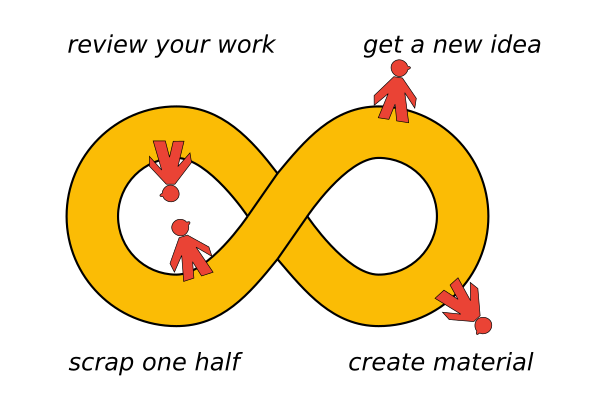
Preparing lessons with a systematic approach helps to escape the infinite loop. In this chapter, we take a look at seven parts of a lesson you could prepare.
Take Home Message
Summarize your lesson in one (short) sentence. This is a good way to find out what you are really teaching, and what it is useful for. You might recite that sentence in class. You might recite it multiple times to make sure it sticks.
If you find that you need two sentences to describe your lesson, you are probably trying to squeeze two separate lessons into one. This is generally a bad idea. If, for some reason, you still want to do deliver a two-part lesson, you need to communicate that very clearly. Ideally, take a break between the two parts.
Learning Goal
Learning goals formalize what you want to achieve. They give your entire lesson a clear direction. Ideally, they allow you to check whether your lesson has worked and your participants to self-assess their progress. In that sense learning goals are the Unit Tests of your lesson. In chapter Learning Goals we look at goals more closely.
4-7 Key Concepts
A frequent mistake is to teach too many things at a time. Usually, less is more. Limit your content to 4-7 new things you would like to get across. Write them down. Kick out everything that distracts from these 4-7 concepts.
Concept Map
A Concept Map is a structured visualization of a small number of key concepts. You can think of it of a highly reduced version of everything your participants need to know. In chapter Concept Maps you learn how to develop Concept Maps and how to use them.
Lesson Plan
A big helper is to write a lesson plan, a table describing what will happen during your lesson. What will be the first thing you do in class? What are you going to say? Do you start with an activity, a visualisation or a speech? What will happen after that?
The lesson plan states which teaching methods you want to use and how long each part of your lesson will take. The lesson plan helps you to balance, time and evaluate your lesson. In chapter Lesson Planning you will learn more.
As a rule of thumb, a single lesson should not be longer than 45’ minutes if you are talking most of the time. If there is a larger activity, 90’ are a good limit. After that, your participants (and you) will need a break.
Theme
A theme wraps your entire lesson with one concrete story or problem question – ideally one that is practically relevant. A well-chosen theme motivates your participants and makes your content easier to digest. A theme could consist of data, a problem question and some eye candy. The idea of themes will be explored in chapter Projects.
Material
The last thing to prepare is what participants actually see: exercises, code examples, data files, lecture material. What material you need depends on the methods you choose. You will find plenty of methods described in all other parts of the book.
Concluding Remarks
I rarely prepare all seven points from this checklist for every lesson. Often, a lesson prepared with two or three of the seven points works very reliably. Sometimes I decide on the theme or goals in my head without writing them down explicitly.
But if the lesson is difficult or you are starting to teach, covering all seven points is a good idea. Covering the entire plan prevents failure and makes it easier to reuse your lesson in the future.